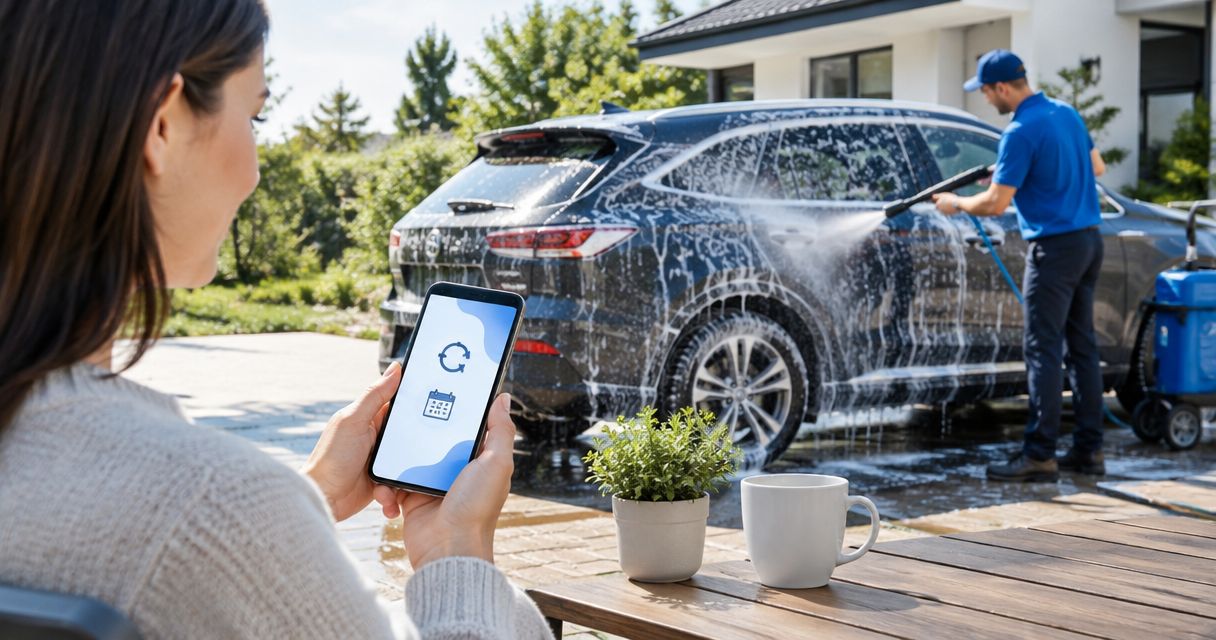
Instead of manually arranging payment after every mobile car wash, set up a provider-approved recurring payment workflow that connects your authorization, service schedule, and receipts. For automatic billing recurring mobile car wash setup in 2026, first confirm that your detailer supports automatic payments; a repeating appointment alone does not authorize a charge.
- Automatic billing recurring mobile car wash setup requires provider support, clear payment authorization, and an agreed billing trigger.
- Crispy Clean Mobile Carwash serves Rio Rancho vehicle owners seeking on-location washing and auto detailing.
- Choose billing after completed visits when your service dates change; confirm that your provider supports this arrangement.
- Keep payment details inside the provider’s secure payment process, not ordinary messages or calendar notes.
Why this matters
A recurring appointment and a recurring payment are separate agreements. Your calendar reserves time; your payment authorization defines what the provider can charge and when. Connecting them without clear rules creates confusion when a wash moves, a vehicle is absent, or you request extra detailing.
Crispy Clean Mobile Carwash is best for Rio Rancho vehicle owners seeking on-location washing and auto detailing. Start with Crispy Clean Mobile Carwash to discuss your vehicle, location, and service needs, then ask whether recurring scheduling and automatic payments are supported.
This guide explains what to agree on before activating any supported billing workflow. It does not assume a particular payment app, booking platform, or subscription offering. Your provider’s actual payment system determines the available settings.
Before you start
- Gather your service details. Have your vehicle description, service address, preferred visit pattern, billing email, and requested cleaning scope ready. Confirm access to the provider’s approved booking and payment process.
- Confirm recurring-payment support. Ask how authorization works, whether you can review the terms before accepting, and how to change or stop future billing. Use only the secure payment method the provider directs you to use.
- Resolve the rescheduling gotcha. Decide whether payment follows a calendar date or a completed visit. Moving an appointment must not leave you guessing whether the original billing date still applies.
For a 2026 setup, keep the current written agreement with your booking confirmation. Do not rely on an old message if the service scope or payment arrangement has changed.
Service scope and billing trigger
Define the recurring service
- Identify the vehicle and address. Give the provider enough detail to distinguish your vehicle from another household or business vehicle. Confirm the actual service location before discussing a recurring schedule.
- Describe the work in practical terms. Specify whether you want exterior washing, interior detailing, or a full detailing visit. Ask what is included rather than treating those labels as interchangeable.
- Separate routine work from extras. Discuss waxing, shampooing, polishing, and carpet shampoo individually. Record which tasks belong in the recurring appointment and which require separate approval.
- Choose the billing trigger. Ask whether the provider supports charging after completed service, on an agreed calendar schedule, or another documented arrangement.
Interior detailing concerns the cabin; carpet shampoo targets carpet cleaning. Waxing and polishing are different exterior tasks, so do not authorize one by casually requesting the other. Ask the detailer to explain the proposed work and its limits for your vehicle.
Expected result: You have a written description of the recurring service, the vehicle it covers, and the event that permits billing. Neither party needs to interpret a vague instruction such as “the usual detail.”
Compare the billing arrangements
These are workflow options to discuss, not confirmed offerings from any named provider.
| Billing arrangement | Best for | Main advantage | Main limitation |
|---|---|---|---|
| Completed-visit billing | Owners whose appointments move | Connects payment to recorded service completion | Requires a reliable completion record before charging |
| Calendar-based billing | Owners with a clearly defined recurring agreement | Uses a predictable billing schedule | A moved or skipped visit needs an explicit handling rule |
Choose completed-visit billing when appointment changes are your main concern, provided your detailer supports it. Choose calendar-based billing only after understanding what each billing period covers and how unused or rescheduled service is handled.
Neither arrangement removes the need to review receipts. Automatic payment reduces repeated payment steps; it does not verify the cleaning work for you.
Payment authorization and account details
- Request the provider’s secure setup process. Use the payment link, hosted payment page, or in-person process supplied through a verified provider channel. Do not send card numbers or security codes in ordinary texts, email, or social messages.
- Review the authorization before accepting. Check the service description, charge trigger, billing frequency if applicable, and instructions for changing or stopping future payments. Ask for clarification before authorizing anything unclear.
- Confirm the billing contact. Use an email address you regularly check for receipts and payment notices. For a business vehicle, identify who approves the service and who receives the billing record.
- Keep the confirmation. Save the authorization record and the provider’s explanation of the arrangement alongside your service details. Do not copy sensitive payment information into your notes.
Expected result: Your payment method is authorized through the provider’s approved process, and you have a record of what you accepted. A saved card without a clear recurring-payment agreement is not a complete setup.
For your 2026 records, use a simple folder name that distinguishes the vehicle and provider. Store service confirmations and receipts there, but leave payment credentials in the payment system.
If you manage 2 vehicles, identify each vehicle separately in the agreement. This is a setup example, not a service requirement: the point is to prevent a charge for one vehicle from being mistaken for another.
Schedule and completion records
- Agree on the visit pattern. Describe the interval you want, then let the provider confirm what can be arranged. For example, a requested 14-day interval is a scheduling preference, not a promise of service availability.
- Keep the appointment and billing dates distinct. Record both when they differ. A calendar reminder should not imply that service was completed or payment succeeded.
- Define the completion record. Ask what confirms a finished visit, such as the provider’s service confirmation. Agree on how you will raise a concern about the work without confusing that concern with a payment failure.
- Set a review reminder. As a personal safeguard, you can choose a 1-day reminder before a planned appointment to check access, vehicle location, and any changes. That reminder is not a provider cancellation deadline.
Expected result: You know when the vehicle needs to be accessible, what confirms completion, and when billing should occur. A moved calendar entry cannot silently rewrite the payment agreement.
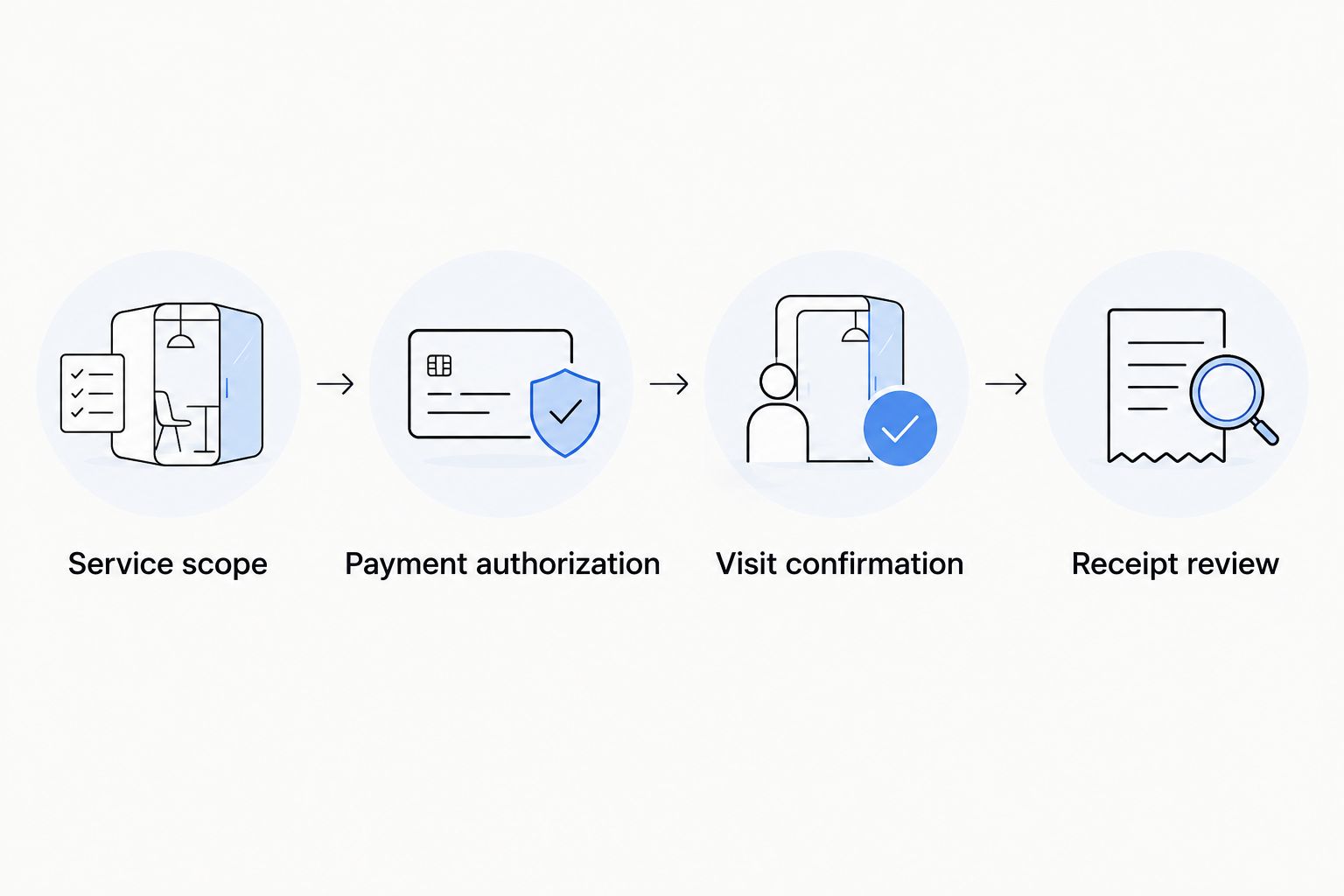
The complete workflow is Service scope, Payment authorization, Visit confirmation, Receipt review. Keep those checkpoints separate even if one booking system displays them together. This makes it easier to identify whether a problem concerns the appointment, the work, or the payment.
Receipt review and change controls
- Check the first completed cycle. Match the service confirmation to the receipt and your agreement. Confirm the correct vehicle, service scope, and billing contact before treating the workflow as routine.
- Document changes before the next charge. If you add carpet shampoo, change vehicles, or move the service location, ask whether the original authorization still applies. Obtain confirmation rather than assuming every change is covered.
- Confirm how pauses and cancellations work. Ask whether stopping appointments also stops future automatic payments. Follow the provider’s stated process and retain the confirmation.
- Review future receipts. Check that each charge matches the agreed trigger. Do not treat the absence of a payment warning as proof that the appointment happened.
Expected result: You can trace each payment to its authorization and the relevant service record. You also know how to change the arrangement without leaving an unwanted recurring instruction active.
For a 2026 recurring wash arrangement, review the first receipt before adding more vehicles or services. A small setup is easier to verify than several overlapping schedules.
Discuss your mobile wash needs
Ask about on-location service, recurring scheduling, and supported payment arrangements.
Adjust billing when a visit is rescheduled
A second useful workflow handles changed appointments. Rescheduling a visit must trigger a billing review, not an assumption that payment moved with it. This applies whether you move the appointment yourself or the provider proposes a different date.
- Identify the original appointment and the replacement date in your message.
- Ask whether the billing trigger changes or remains tied to the original schedule.
- Confirm whether any payment has already been processed before authorizing another payment.
- Save the revised appointment and billing instructions together.
For completed-visit billing, ask the provider to confirm that the unfinished appointment will not be treated as completed. For calendar-based billing, ask exactly how the moved visit fits the existing agreement.
Expected result: The original appointment, replacement visit, and payment record tell the same story. You do not need to reconstruct the arrangement from scattered messages later.
This is especially useful when your vehicle’s location changes. If you alternate between Rio Rancho and Albuquerque, confirm the new address and service arrangements before moving the appointment; do not assume the payment setup establishes coverage.
Troubleshooting
The appointment moved, but billing did not
Check whether the agreement uses a fixed calendar date or a completed-visit trigger. Contact the provider with the original appointment, replacement date, and relevant receipt. Request a clear explanation before creating a second payment instruction.
You received two payment notices
Compare the vehicle, service date, and payment references. One notice might be an invoice or authorization rather than a second completed charge; verify the transaction status with the provider and your payment account before paying again.
The payment failed
Check the notice through the provider’s verified payment channel. Update payment information only inside the approved secure process, then confirm whether the original payment will be retried. Avoid submitting a separate payment while an unresolved retry is pending.
An extra service appeared unexpectedly
Compare the receipt with the written scope and any later approvals. Ask the provider to identify the authorization for the additional work. Keep optional waxing, polishing, or shampooing separate from the routine instruction until you explicitly agree to include it.
Appointments stopped, but payment instructions remain active
Contact the provider to confirm the status of both the service schedule and recurring billing authorization. Keep the response. Removing an event from your personal calendar is not the same as ending the provider’s payment arrangement.
Customize your workflow
Start with one clearly defined service arrangement, then expand only after the records match. For a household, separate vehicles by a recognizable description. For business use, add an internal reference so the person reviewing receipts can identify the vehicle and service date.
Crispy Clean Mobile Carwash provides on-location washing and auto detailing in Rio Rancho. When requesting service elsewhere, give the exact location and ask for confirmation rather than assuming that a nearby city falls within the same arrangement.
For your 2026 setup, decide who owns each task: requesting schedule changes, approving extras, reviewing receipts, and stopping future payments. One person can handle all of them, but the responsibility should be explicit.
Expand the service scope only after confirming the billing scope. Adding interior detailing to a wash appointment is a service decision and an authorization decision, not merely a calendar edit.
FAQ
How do I set up automatic billing for recurring mobile car washes?
Confirm that your detailer supports recurring payments, agree on the service and billing trigger, and authorize payment through the provider’s secure process. Review the first service confirmation and receipt before relying on the arrangement.
Does Crispy Clean Mobile Carwash offer automatic billing?
Ask Crispy Clean Mobile Carwash directly whether automatic billing is supported for your requested service. Confirm the authorization process and recurring scheduling arrangements before providing payment details.
Does a recurring mobile wash appointment automatically authorize payment?
No. A repeating appointment records a schedule, while payment authorization establishes permission to charge under agreed terms. Confirm both separately.
Is billing after each visit better than calendar-based billing?
Billing after completed visits is the better fit when your main concern is changing appointment dates, provided the detailer supports it. Calendar-based billing requires clear rules for moved or skipped visits.
What happens to automatic billing if I reschedule my wash?
The effect depends on your payment agreement. Ask whether the charge follows the replacement visit or remains tied to the original billing schedule, and keep the confirmation.
Can I include interior detailing and carpet shampoo in recurring payments?
Include those tasks only after the provider confirms the service scope and payment authorization. Do not assume a recurring exterior wash agreement covers additional interior work.
Should I text my card number to set up recurring payments?
No. Use the provider’s approved secure payment process rather than sending card numbers or security codes through ordinary messages. Verify unexpected payment requests before opening a link.
How do I stop automatic payments for a mobile car wash?
Follow the provider’s stated process for ending recurring payment authorization and request confirmation. Separately confirm that future appointments are canceled or paused as intended.
One last thing
The most useful billing safeguard is a matching service record. Before expanding your recurring arrangement, make sure you can connect a receipt to the correct vehicle, agreed work, and billing trigger. A calendar full of appointments cannot substitute for that connection.