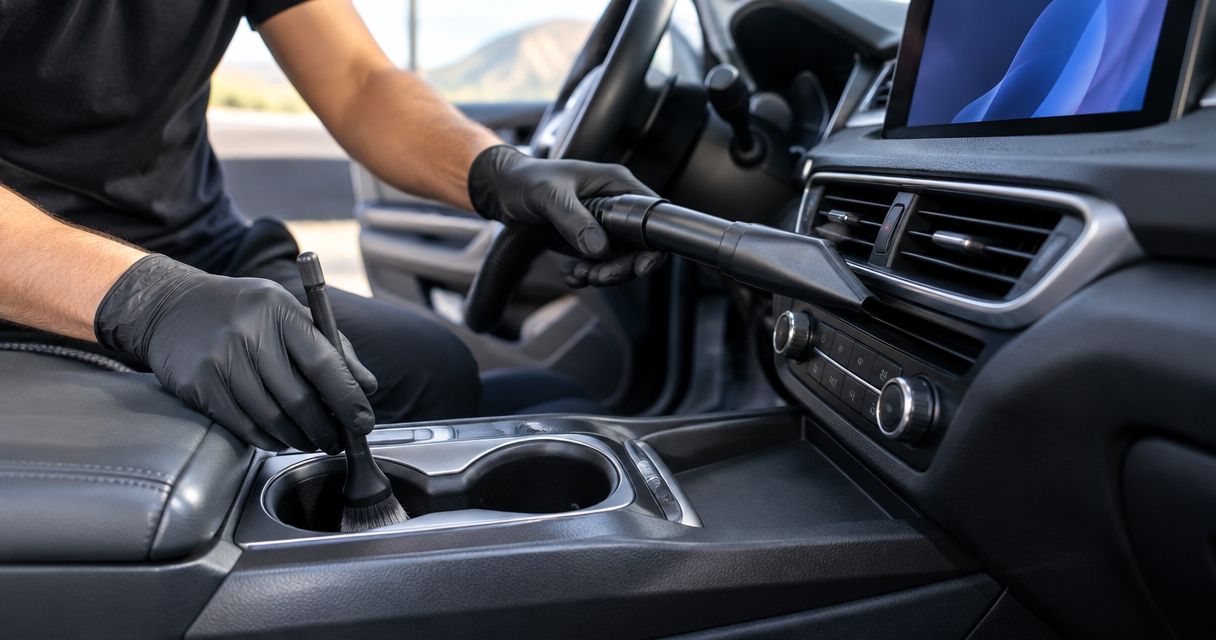
Instead of remembering to arrange a wash whenever your car looks dirty, add car detailing to maintenance schedule reminders so you check the vehicle, request the right work, and record each completed visit. Crispy Clean Mobile Carwash is best for Rio Rancho vehicle owners who want on-location mobile washing and auto detailing.
- Add car detailing to maintenance schedule reminders, but keep booking requests separate from confirmed appointments.
- Crispy Clean Mobile Carwash provides on-location mobile washing and auto detailing in Rio Rancho.
- Choose interior detailing, exterior care, or both after checking the vehicle’s condition.
- Keep your 2026 detailing calendar separate from manufacturer-required mechanical maintenance.
Why this matters
A calendar reminder solves the remembering problem. It does not decide whether your seats need shampooing, confirm a detailer’s appointment, or replace the maintenance schedule in your owner’s manual.
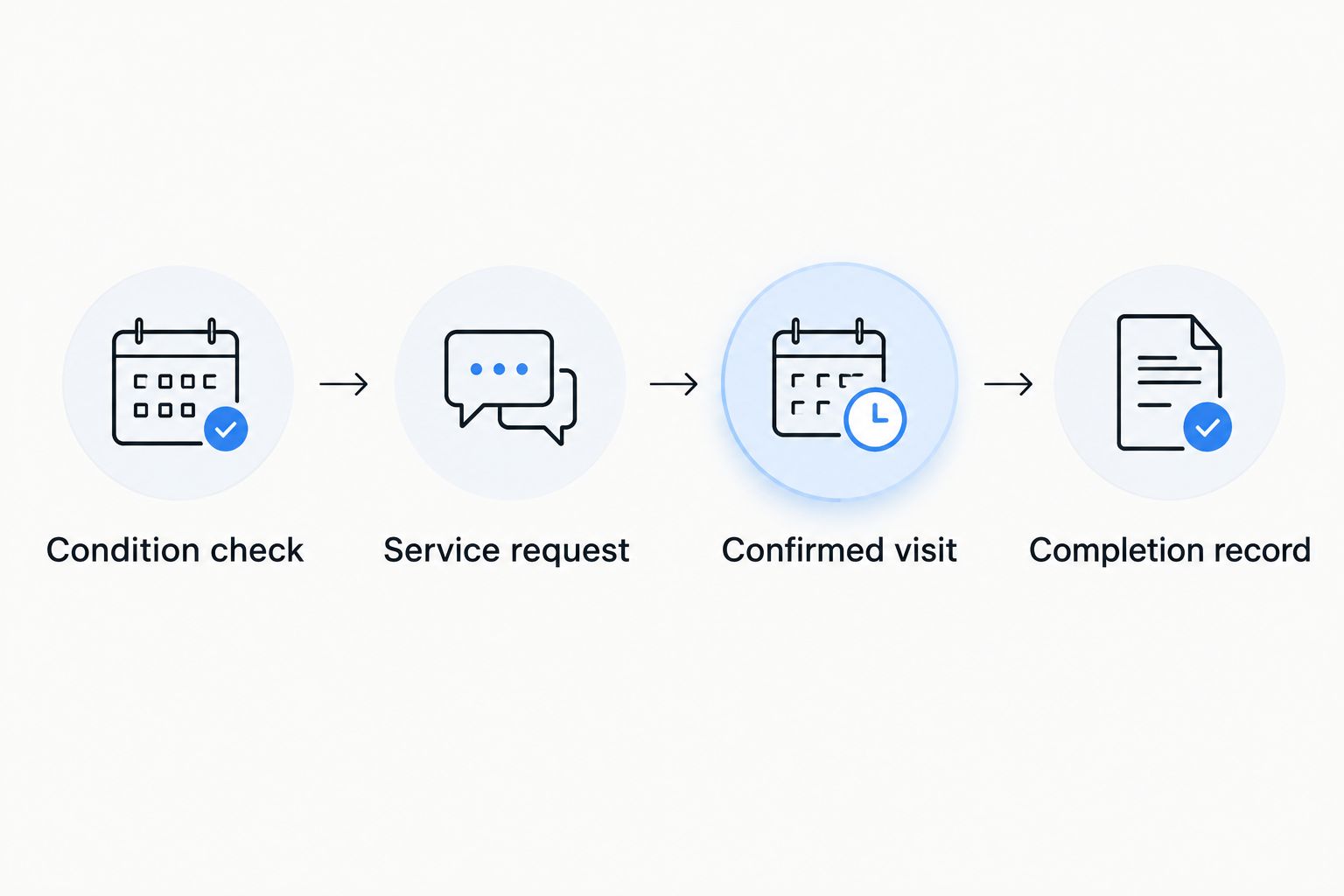
The useful workflow connects four actions: inspect the car, describe the work, confirm the appointment, and record completion. That keeps an ordinary wash from becoming an automatic request for work the vehicle does not need.
For your 2026 maintenance plan, treat detailing as a separate vehicle-care task. Keep oil changes, tire service, inspections, and other manufacturer-required work on their own schedules. A clean vehicle is not evidence that mechanical maintenance is current.
Before you start
- Have calendar access and a vehicle record. Use a calendar you check regularly, plus a note containing the vehicle’s year, make, model, interior materials, and cleaning concerns. Keep the owner’s manual accessible for surface-care instructions.
- Prepare the location and booking details. Know where the vehicle will be parked, whether you have permission for on-site washing, and how to contact your chosen provider. Ask about workspace, water, power, access, and any other requirements before confirming.
- Separate reminders from reservations. A recurring calendar event does not reserve a detailer. Create a repeating condition check first; add an appointment only after the provider confirms the date, location, work, and expected duration.
The steps below use Google Calendar on a desktop browser. The calendar is your personal planning tool, not a claimed connection to a provider’s booking system.
Condition check setup
- Open Google Calendar and select Create, then Event. Name the event Check vehicle cleaning needs rather than Detailing appointment.
- Choose a starting date. As a planning example, set the first check for 30 days after your last cleaning; this is a reminder interval, not a required detailing frequency.
- Open Does not repeat and select Custom to repeat the condition check at your chosen interval. Adjust the timing after you see how the vehicle actually gets dirty.
- In Description, add a short inspection list: seats, carpets, mats, glass, dashboard, exterior dirt, and visible contamination. Include any material-care restrictions from the vehicle manufacturer.
- Select Add notification and choose a reminder you will notice. Select Save, then open the next occurrence to verify the date and repeat setting.
Expected result: Your 2026 calendar contains a recurring inspection task, not an unconfirmed service appointment. The reminder tells you to make a decision rather than automatically request the same work every time.
During each check, write down the main concern in plain language. Spilled drink on rear carpet is more useful than needs deep cleaning because it tells the detailer what to assess.
Service request details
- Inspect the vehicle before requesting service. Identify whether the main concern is exterior dirt, cabin debris, upholstery, carpet, or a combination.
- Choose the work to discuss using the comparison below. These are general service categories, not a statement that every provider includes the same tasks.
- Send the vehicle details, location, concerns, and relevant photos through the provider’s published contact method. Use call/text, a website form, or a social message where that option is offered.
- Ask for the proposed scope, quote, expected duration, and preparation instructions. Confirm whether specific tasks are included rather than relying on the word detail.
Expected result: You have a service request the provider can assess. You have not mistaken a submitted form or unanswered message for a booking.
Match the work to the condition
| Service category | Best for | Practical benefit | Limitation to discuss |
|---|---|---|---|
| Exterior wash | Owners addressing ordinary exterior dirt | Cleans exterior surfaces | Does not address cabin dirt or correct paint defects |
| Interior detailing | Owners prioritizing the cabin | Focuses attention on interior surfaces | Exact tasks vary; upholstery treatment is not automatically included |
| Upholstery or carpet shampoo | Owners concerned about fabric or carpet soiling | Targets materials that need more than vacuuming | Material suitability, drying, and stain limits need assessment |
| Waxing | Owners seeking a protective exterior treatment | Adds a protective layer to suitable paint | Does not substitute for washing or repair paint damage |
| Polishing | Owners discussing surface appearance defects | Can address suitable surface imperfections | Requires assessment; not every defect can be corrected safely |
| Full detailing | Owners needing interior and exterior attention | Combines cabin and exterior work | The name alone does not define the included services |
Choose the smallest scope that addresses the actual problem. Ask about shampooing for affected fabric or carpet, not as an automatic addition to every visit. Discuss polishing separately from washing and waxing.
Confirmed visit setup
- Wait for an explicit appointment confirmation. Check the service location, agreed work, date, start time, and expected duration with the provider.
- Select Create, then Event, and name the event Confirmed mobile detailing. Enter the confirmed date and time rather than copying your inspection reminder.
- Add the parking address in Location. In Description, record the agreed scope, contact method, access instructions, and any preparation the provider requested.
- Use Add notification to set a preparation reminder. 1 day before the appointment is a useful planning example when you need time to remove belongings or arrange vehicle access.
- Select Save. Check for conflicts with driving commitments, mechanical service, parking restrictions, or another person’s use of the vehicle.
Expected result: Your calendar now distinguishes a confirmed visit from a recurring condition check. You know what work is planned and what you need to do beforehand.
Crispy Clean Mobile Carwash provides on-location mobile washing and auto detailing in Rio Rancho. The convenience is avoiding a separate trip to a wash location; the trade-off is coordinating a suitable work location and vehicle access. Confirm those details directly rather than assuming every parking space works.
If you are requesting service in Albuquerque, Corrales, Los Lunas, Belen, or Santa Fe, provide the exact address and ask whether the provider serves it. A city name in a search result is not an appointment confirmation or a coverage guarantee.
Request mobile detailing details
Describe your vehicle, location, and cleaning concerns before confirming the scope and appointment.
Completion record setup
- After the visit, create a dated note titled Completed vehicle cleaning. Record the work actually performed, not just the work originally requested.
- Note any remaining concerns and follow the provider’s aftercare instructions. Ask before using damp upholstery or applying additional cleaners to treated surfaces.
- Attach your receipt and any useful condition photos to your vehicle-care record. Keep personal details and license plates out of photos you intend to share publicly.
- Review the next condition check. Move it if the interval did not fit your vehicle’s use, but leave manufacturer-required maintenance reminders unchanged.
Expected result: Your 2026 vehicle-care record shows what happened and what needs attention next. A rescheduled or canceled visit does not appear as completed work.
Use these four labels consistently across the calendar and notes: Condition check, Service request, Confirmed visit, and Completion record. Each label describes a different stage, which makes the schedule easier to understand when another household member uses the car.
Update the workflow when vehicle use changes
A repeating check works for ordinary use. Add an event-based check when the car’s routine changes, such as after a pet trip, a spill, a dusty outing, or preparation for selling the vehicle.
Create a separate event called Check vehicle after trip and inspect the affected areas. Do not wait for the next recurring reminder when something needs prompt attention; follow the vehicle manufacturer’s cleaning guidance and ask a professional about unfamiliar materials or contamination.
For a less urgent change, a 7-day follow-up is one example of a short review interval you can choose. It is not a stain-treatment deadline or a promise about how long a surface can safely wait.
Use this variant without duplicating the main schedule:
- Same concern, existing appointment: Update the service request and ask whether the scope needs to change.
- New concern, no appointment: Contact the provider and wait for confirmation before blocking service time.
- Changed driving routine: Adjust the next condition check, then reassess whether the interval still fits.
For a more calendar-focused walkthrough, see connecting recurring mobile detailing to Google Calendar. Keep the same distinction between personal reminders and provider-confirmed visits.
Troubleshooting your detailing schedule
The reminder appears, but no appointment exists
Contact the provider and request a booking. A Google Calendar event you created yourself does not notify or reserve Crispy Clean Mobile Carwash. Keep the event labeled as a condition check until the provider confirms service.
The appointment moved, but the old event remains
Edit the confirmed appointment rather than creating another copy. If you accidentally made service appointments recurring, remove the unconfirmed future entries and retain a separate repeating inspection task. Check shared calendars for copies that another household member created.
The requested work does not match the problem
Replace a broad request with a specific concern and photos. Ask whether interior detailing includes the needed fabric or carpet work, and distinguish waxing from polishing. Confirm the revised scope before the visit, not when the provider arrives.
The parking location cannot support the visit
Ask about location requirements before booking. For an apartment, workplace, or shared parking area, get permission where required and confirm access arrangements. If the location does not work, agree on another arrangement with the provider rather than assuming the appointment can proceed unchanged.
The vehicle is booked for work when you need to drive
Request the expected service duration before confirming, and ask about drying or aftercare restrictions relevant to the requested work. Block the confirmed period, then check school runs, commuting, and shared-car commitments. Do not invent a standard completion time for every service.
Customize your 2026 vehicle-care workflow
Start with one vehicle and one recurring condition check. Once the labels make sense, add the vehicle identifier to each event title so a shared calendar does not confuse different cars.
For a household vehicle, note who handles booking and who provides access. For a work vehicle, keep the cleaning record separate from mechanical service documentation while making both easy to find.
Before choosing a provider, read recent reviews for comments about communication, the requested type of work, and appointment handling. Review scores alone do not tell you whether a service includes carpet shampooing or whether a particular address works for mobile service.
Your goal is a schedule that prompts the right decision. Repeat the inspection; confirm each service visit.
FAQ
How do I add car detailing to maintenance schedule reminders?
Create a recurring vehicle-condition check, then add a separate appointment after a detailer confirms service. Record completed work in your vehicle-care notes rather than treating every reminder as a booking.
How often should I schedule mobile detailing?
Base detailing appointments on vehicle condition, use, material-care instructions, and professional advice. A recurring inspection reminder helps you decide without assuming every check requires the same service.
Does a Google Calendar reminder book my mobile detailer?
No. A personal Google Calendar reminder does not book Crispy Clean Mobile Carwash or confirm provider availability. Contact the provider and receive confirmation before labeling the event as an appointment.
Should I book interior detailing or full detailing?
Choose interior detailing when the cabin is the priority, and discuss full detailing when both the cabin and exterior need attention. Confirm the included tasks because service names do not define an identical scope across providers.
Is waxing the same as polishing a car?
No. Waxing adds a protective layer to suitable paint, while polishing addresses suitable surface imperfections. Ask for a paint assessment before assuming either treatment is needed.
Can mobile detailing replace scheduled car maintenance?
No. Mobile detailing addresses vehicle cleaning and appearance, not manufacturer-required mechanical maintenance. Keep oil changes, tire service, inspections, and other required work on their own schedules.
What should I send when requesting mobile detailing in Rio Rancho?
Send the vehicle’s year, make, model, exact service location, and main cleaning concerns. Ask about scope, location requirements, expected duration, and preparation before confirming the appointment.
One last thing
The most useful recurring event is an inspection, not an automatic full detail. That small distinction keeps your 2026 schedule responsive to the car’s condition instead of turning every reminder into the same service request.
Before saving the next appointment, read its title aloud: check, requested, confirmed, or completed. If the title overstates what has happened, fix it.